
The sky follows your day
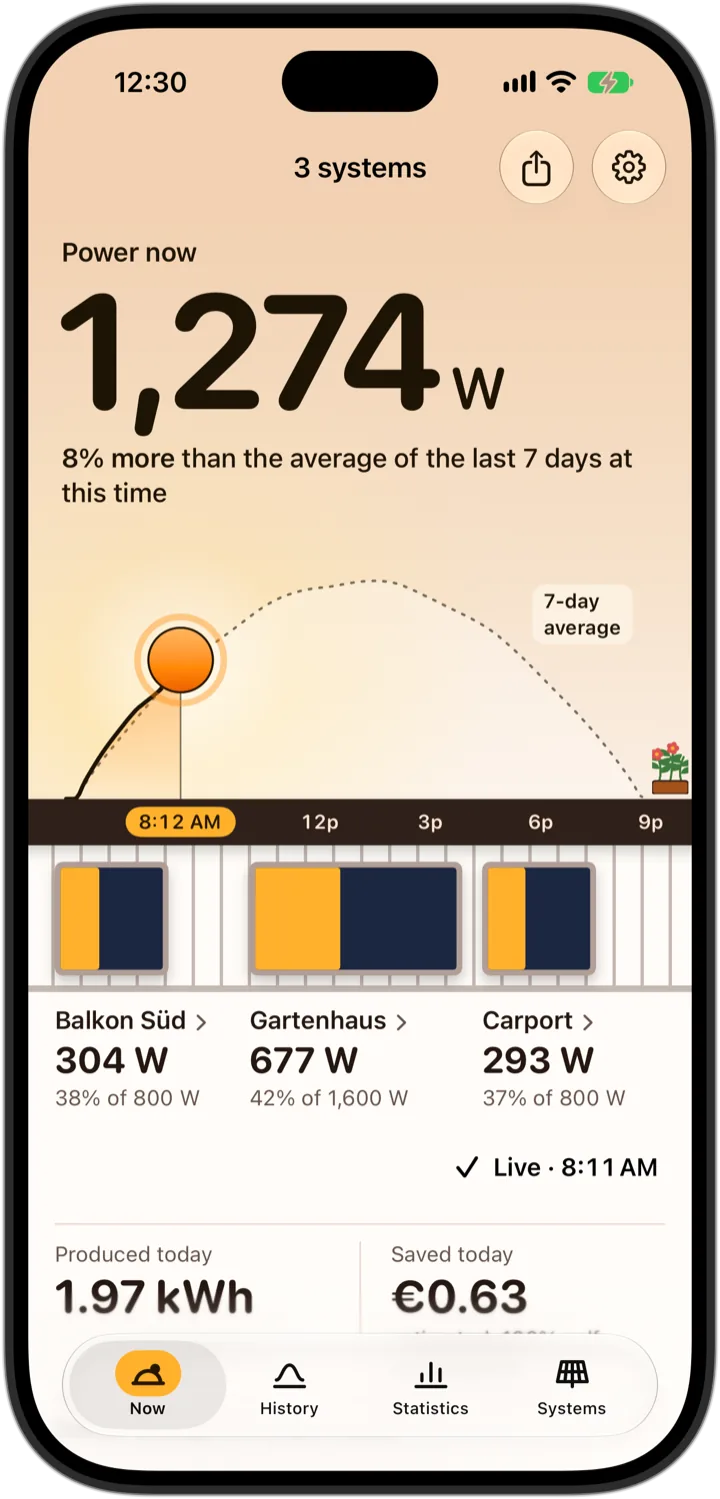
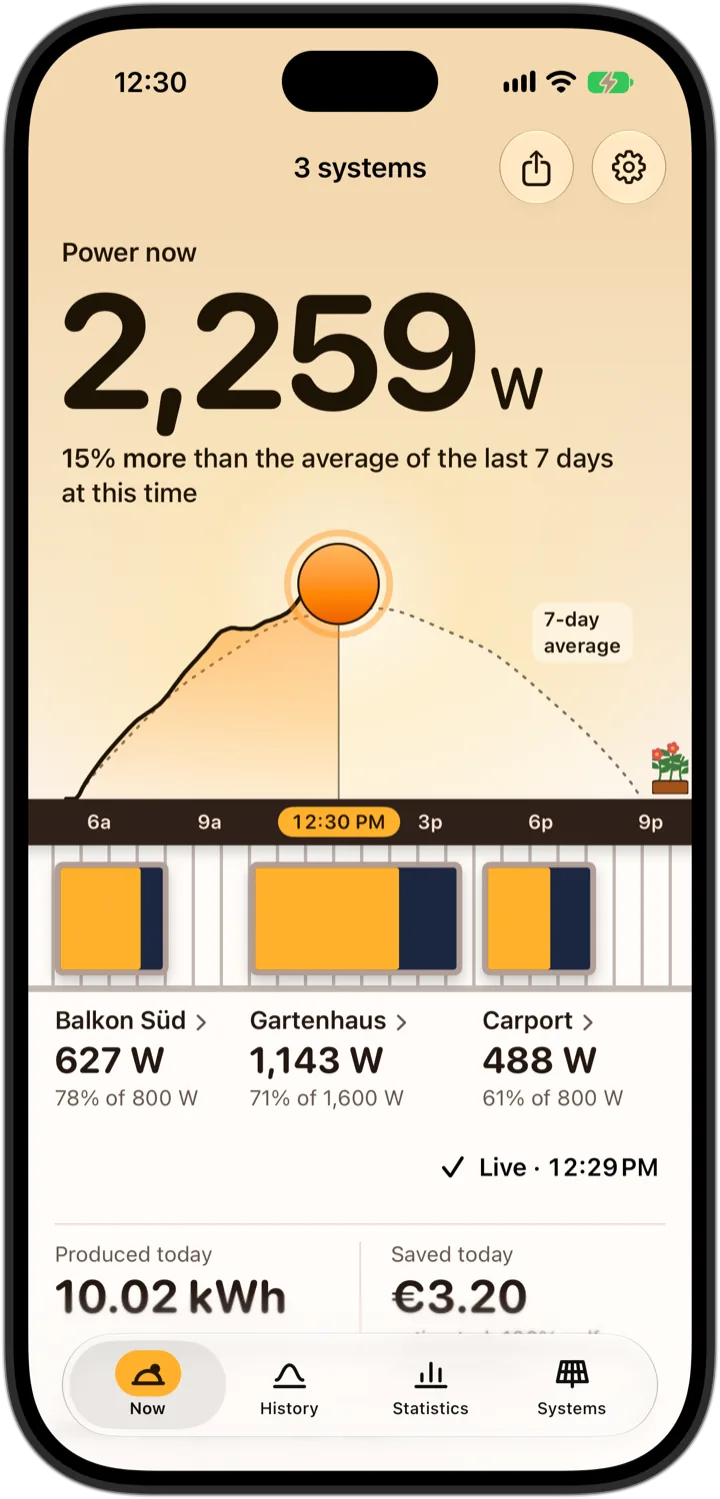
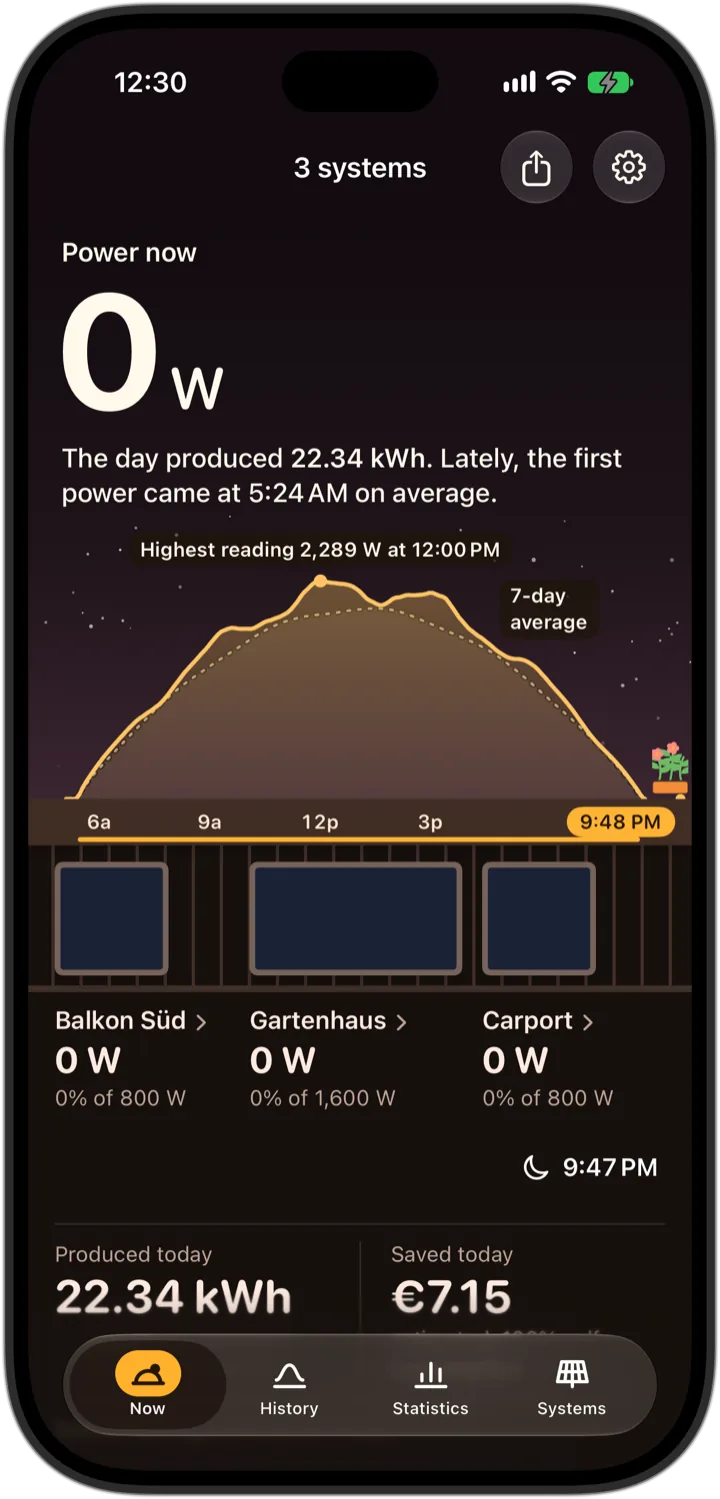
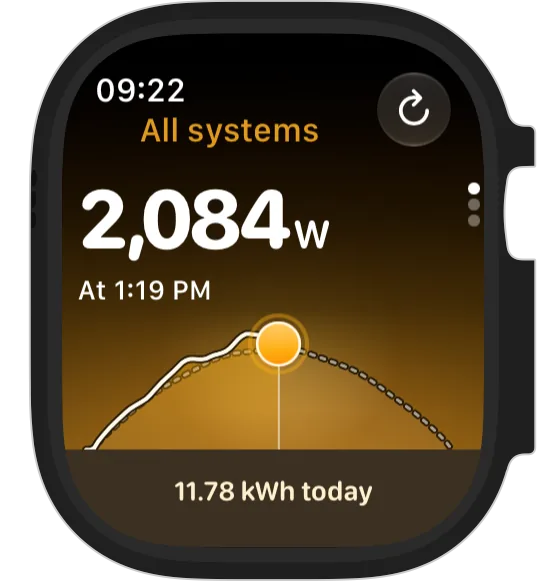
With the Daybreak design, the sky in the app follows the time of day and your system's output. Dawn in the morning, a high sun at noon, stars at night.
- Eleven color themes, with matching app icons to choose from
- Seasonal touches throughout the year
- Your theme carries over to widgets and Apple Watch
- Prefer it simple? The calm background keeps the sky neutral
Matching app icons


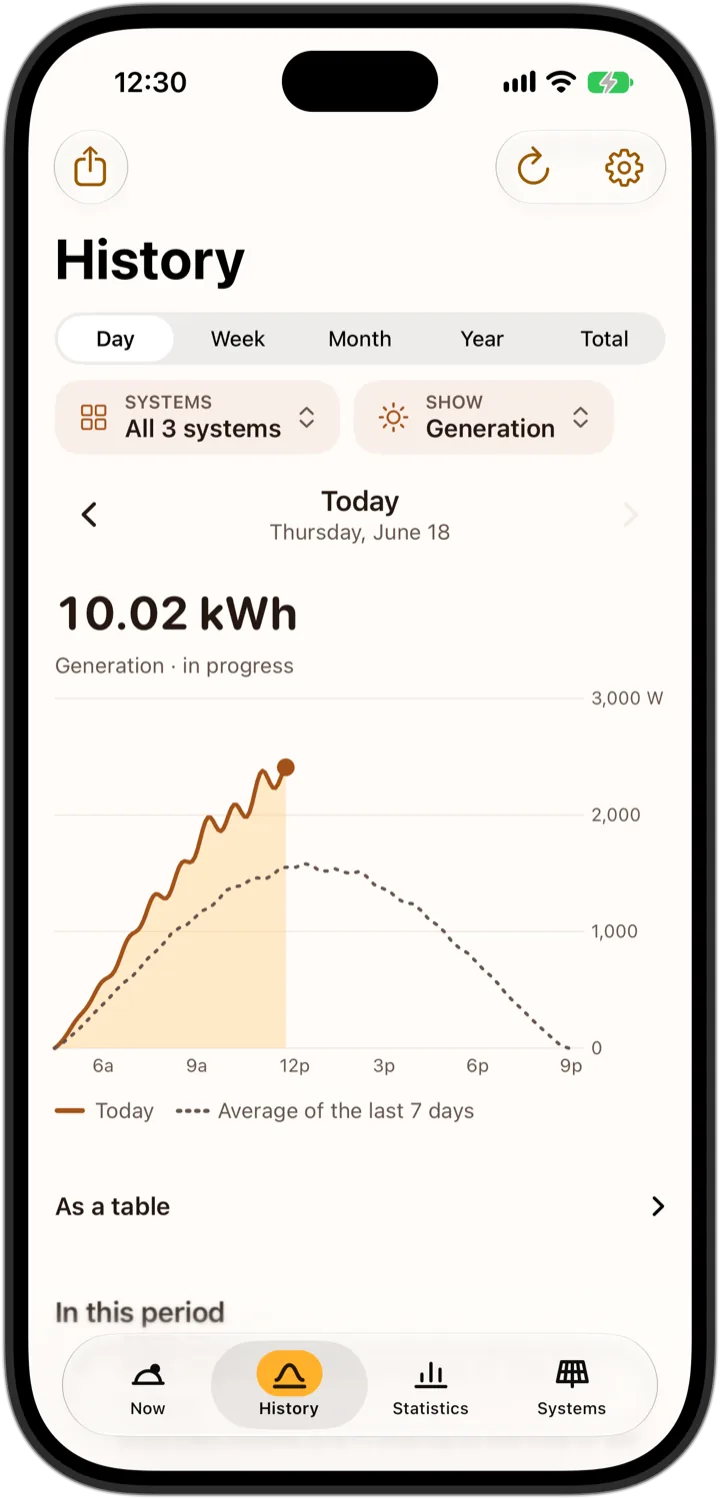
Now, History, Statistics, Systems
Everything that matters in one place – and every value shows when it was measured.
- Now: current power, today's yield, savings, CO₂ and battery level
- History: day, week, month and year, compared with your own earlier values
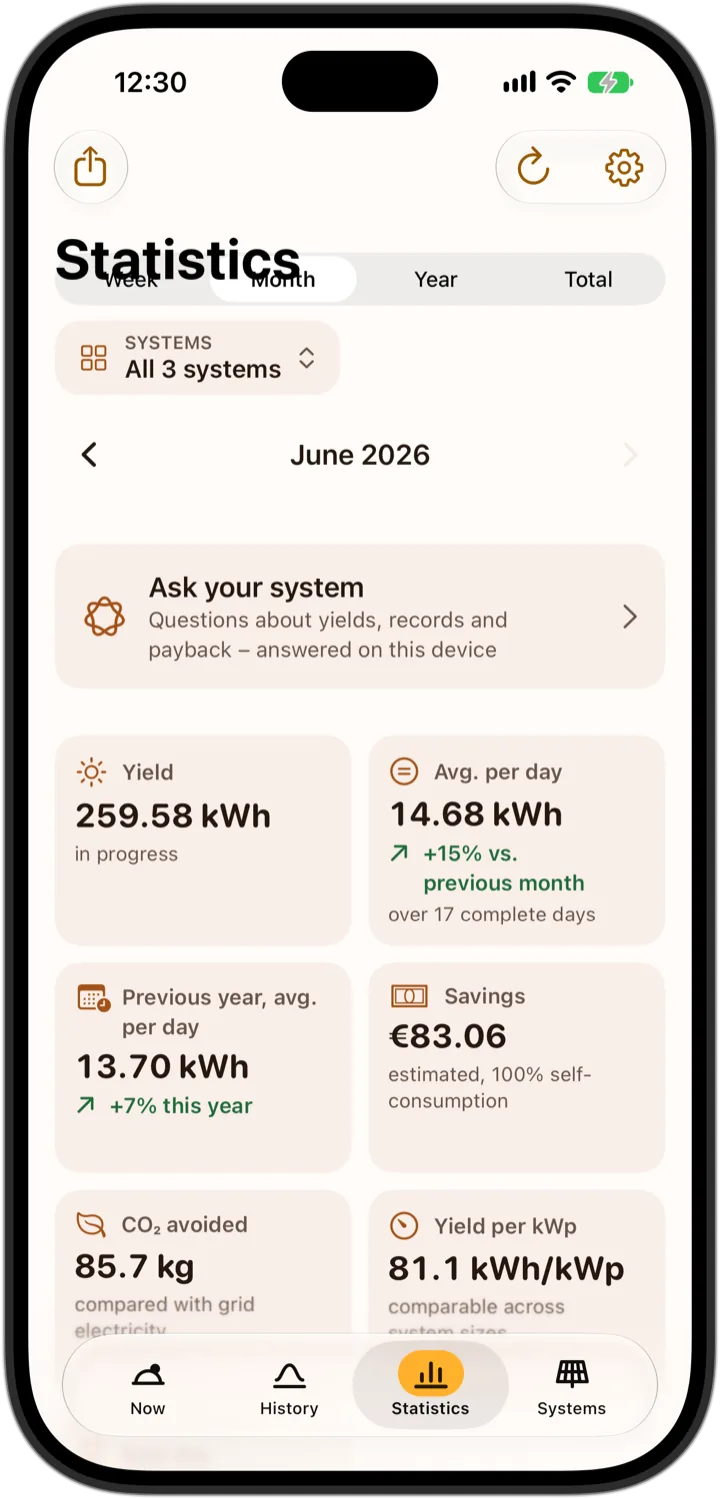
- Statistics: key figures, records and analyses
- Systems: as many as you like, even from different providers
Analyses you can trust
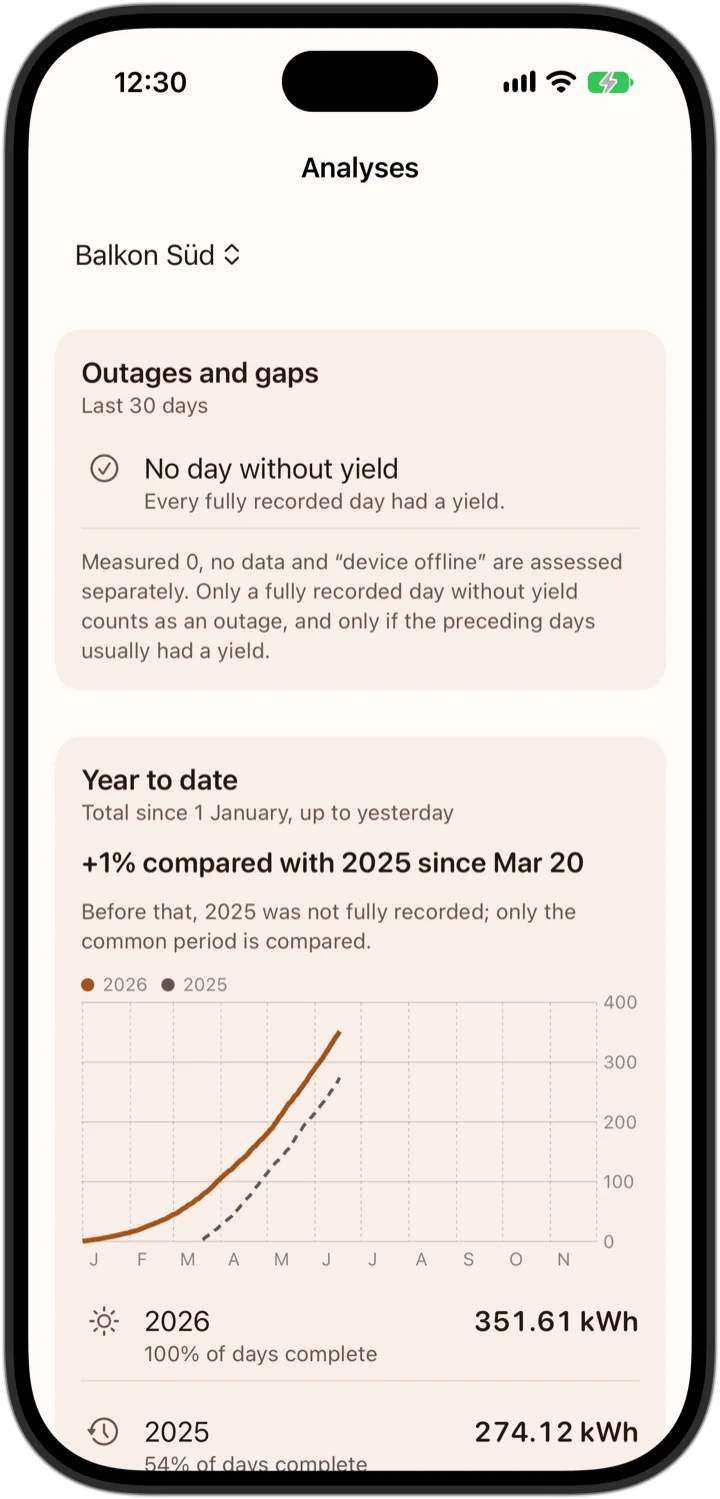
Balkonizer analyzes your own recordings and tells you what each number is based on. Estimates are labeled, and missing values never count as zero.
- Outage detection, year to date and milestones
- Day type and curtailment by the inverter limit
- Reconciliation with your meter reading
- Battery calculator and charge level
System & money
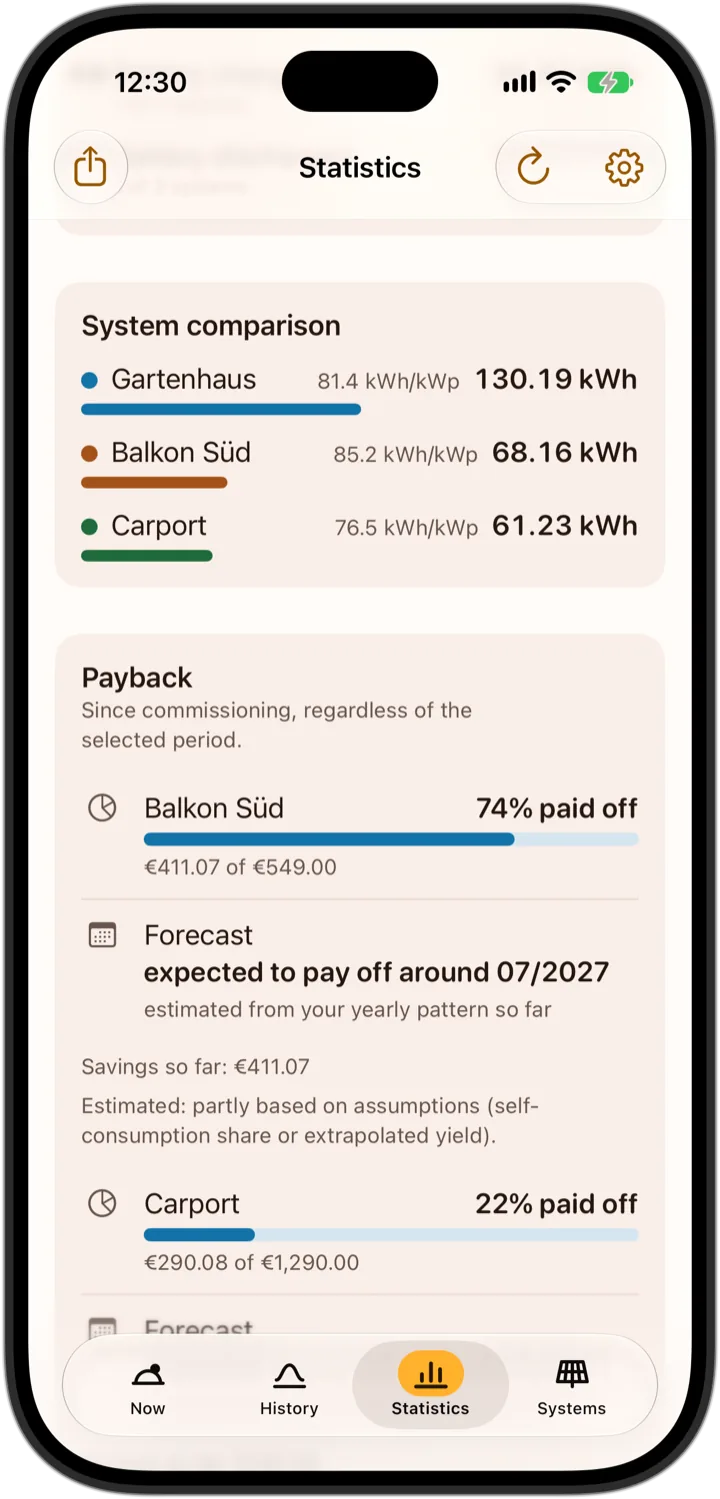
Enter the purchase price and start date, and Balkonizer shows how much of your system has already paid for itself – and when it is expected to break even.
- Payback based on purchase price, savings and feed-in tariff
- You set the electricity price, self-consumption and feed-in tariff
- With grid data, self-consumption is measured; otherwise it is labeled as an estimate
- Currency and CO₂ factor are up to you
Forecast & expectation
How much is still to come today, and what is typical where you live? Balkonizer works it out – always clearly marked as a forecast.
- Yield forecast for today and tomorrow, based on weather data from Apple Weather
- Always with a range, plus the best hours of the day
- Expected value for your location from PVGIS, the European Commission's solar calculator
- Your location is only sent rounded to 0.1°
Apple Intelligence – on device
On supported devices, Balkonizer sums up your day in a short Day summary. Everything runs on device, and every number comes from your own data.
- Day summary: your day in a few sentences
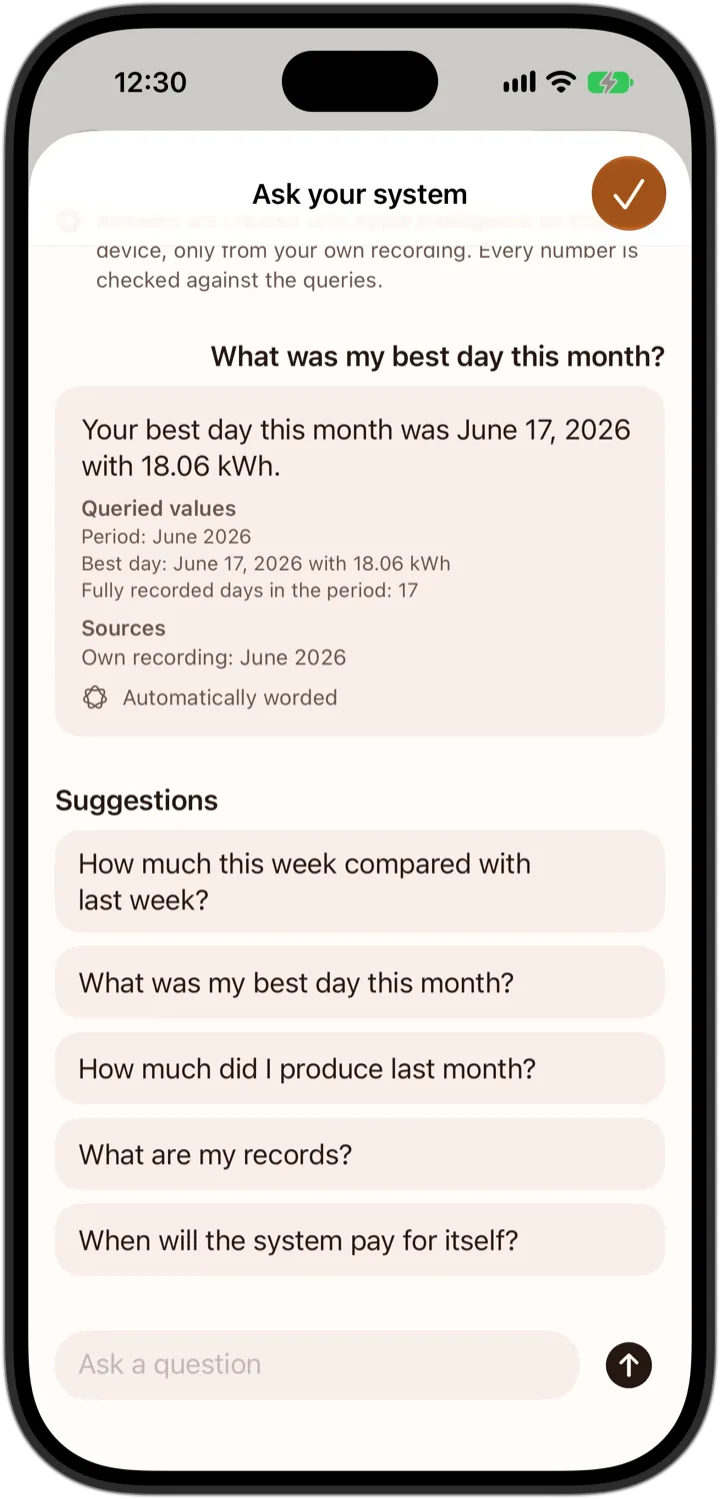
- Ask your system: questions in your own words, such as your best day this month
- Explain simply: error messages in plain language, with the original message still authoritative
- The values that were looked up are shown with every answer
Widgets, Watch, Siri & Control Center
Keep an eye on your system even when the app is closed.
- Home Screen widgets, up to extra large on iPad
- Power ring on the Lock Screen and controls in Control Center
- Shortcuts and Siri for power, yield, battery level and more
- Apple Watch: a standalone app with complications
On your Mac – in the menu bar
The Mac app shows your systems' current power right in the menu bar. One click opens the Daybreak view.
- Today's curve, today's yield, estimated savings and each system on its own
- A window with Now, History, Systems and Settings
- Light on resources in the background, and it can open at login

iCloud sync
Turn on sync and your systems appear on all your devices. Credentials always stay on the device where you entered them.
- Syncs systems, system details, tariff, color theme and daily values
- Stored in your private iCloud, not with us
- Off until you turn it on
- Delete it from iCloud with a single tap
Compatible
Balkonizer reads your data through your account with the provider – or directly from devices in your home network, with no cloud at all.
- Cloud: Anker SOLIX, EcoFlow, Growatt, Hoymiles and Zendure
- Home network: Home Assistant, evcc, Shelly, OpenDTU, Fronius, APsystems EZ1, Zendure (zenSDK), Marstek, Solakon ONE, Anker SOLIX (Modbus), SunSpec inverters and SunEnergyXT
- Some connections are marked as beta, and unofficial ones are labeled as such
- Balkonizer is an independent app and is not affiliated with the manufacturers
Fair & private
No subscription, no ads, no tracking, no account with us. Every feature is included for everyone.
- Credentials are stored only in your device's keychain
- Balkonizer only reads data and never controls your system
- No server of our own: the app talks directly to your provider or your device at home
- Tips from €4.99 are optional and unlock nothing

Get Balkonizer
Free on the App Store for iPhone, iPad, Apple Watch and Mac.


- Requires iOS 26, iPadOS 26, watchOS 26 or macOS 26
- Available in nine languages: Czech, Dutch, English, French, German, Italian, Polish, Portuguese and Spanish